
The QR code trick: how ice cream vendors quickly collect more Google reviews
The problem: a Google Business Profile with no reviews is almost worthless
You've set up your Google Business Profile – great. But then… nothing happens. No reviews, no requests. That's because customers almost never write a review on their own, even if they loved it. The ice cream van was great, the ice cream was delicious, the vendor was friendly. But once they're home, nobody thinks about it any more.
And without reviews, exactly that happens: you do show up on Google Maps, but next to competitors with 40 or 80 reviews, you look new and unknown. Customers click on the profile with the most stars. Getting there organically takes years. Unless you know this trick.
The idea: make the QR code visible at exactly the right moment
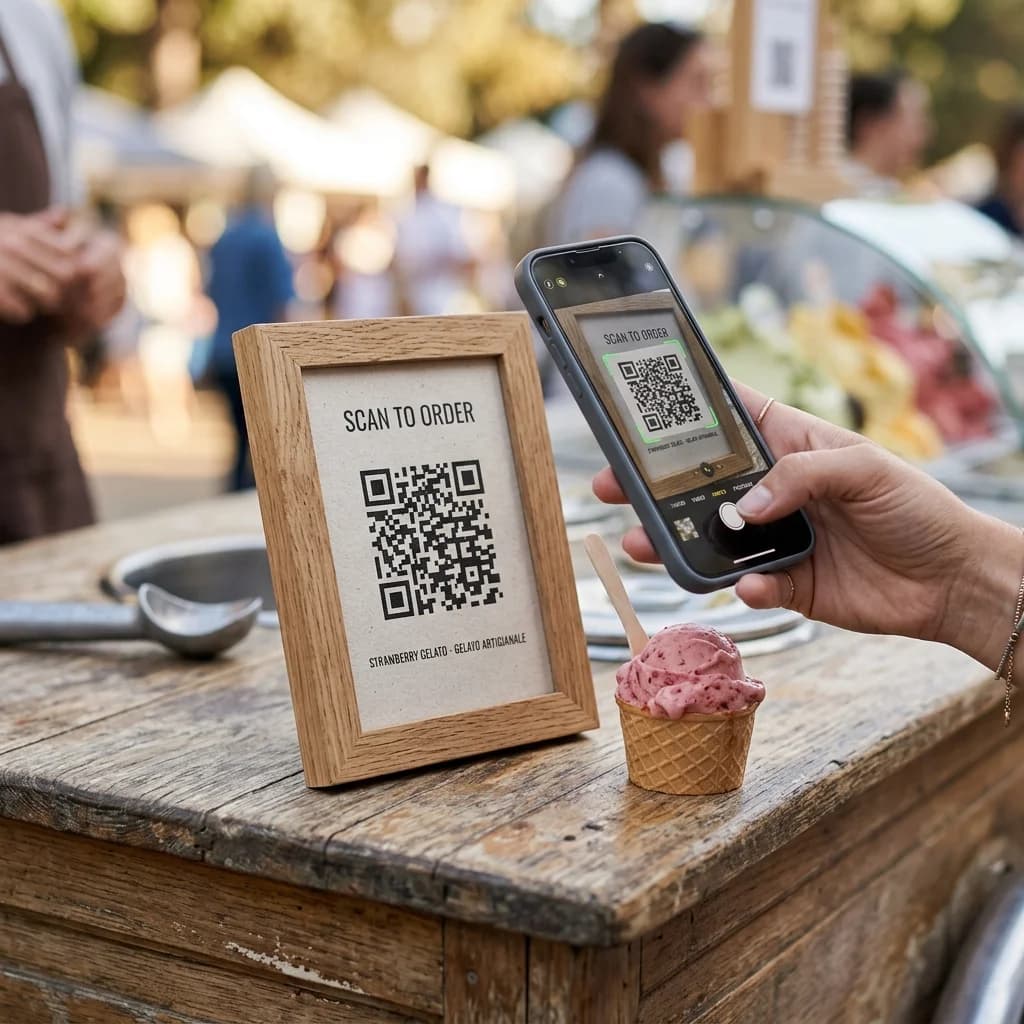
The principle is simple and effective. You create a QR code that leads straight to your Google review form. You print this QR code on an A4 sheet with a friendly, honest invitation:
⭐ Did you enjoy our ice cream?
We'd love a Google review from you!
Just scan the QR code – it only takes 30 seconds. Thank you! 🍦
You hang the sheet somewhere clearly visible on your ice cream van – on the serving hatch, on the mirror, or on a clipboard next to the till. Every customer sees it. Anyone holding a delicious ice cream and in a good mood is in exactly the right frame of mind to leave you a quick review.
When does the QR code fit – and when doesn't it?
The sign is ideal for public sales to passing customers: when you're parked at a fixed pitch, at a street or town festival, or by the roadside, serving lots of individual guests. Here, everyone sees the sign and decides for themselves.
For a booked event (wedding, birthday, corporate party) it's different: there, you politely ask only the host for a review at the end – not every single guest. And that's exactly what eisbuchen.de takes off your hands: after every event booked through the platform, a review request automatically goes out to the host.
For corporate events in particular, a "rate us" sign would feel out of place – hold back there and leave the review to the host.
Important: don't promise anything in return for a review
As tempting as it sounds to offer a "free scoop for a review" – that isn't allowed in Germany. Reviews you buy with a reward (a free scoop, a discount, a prize draw) count as misleading under German competition law (UWG) and also break Google's review policies. Google can delete such reviews or, in the worst case, suspend your profile. So your sign should only ever be a friendly invitation – with nothing offered in return. That's legal, fair, and it still works.
Why the moment at the van works so well
The trick isn't a reward – it's the right timing. Customers almost never write a review simply because, once they're home, they've forgotten about it – not because they were unhappy. Right at the van it's different: the ice cream tasted great, the mood is good, and the phone is usually already in their hand anyway. That's exactly when the barrier is lowest.
And because the QR code leads straight to the review form, the most annoying part disappears – having to search for your profile. The process at the van is:
A friendly word helps too: "If you enjoyed it, we'd really appreciate a quick review – the code's right here." That's allowed and completely normal. The only thing that's forbidden is promising something in return.
What this means for your ranking
Google doesn't just look at the number and average of your stars, but also at the frequency of new reviews. A profile that suddenly gets 10 new reviews in 2 weeks sends a strong signal: this is an active, popular business. Google rewards that with better visibility in the Local Pack.
How to keep your sign legally sound:
✅ Allowed
- Politely asking for a review
- Hanging the QR code somewhere visible
- Making the process as easy as possible
- Asking all customers the same way
❌ Not allowed
- A free scoop, discount or prize draw for a review
- Asking to see the review before handing anything over
- Only asking customers you think are happy
- Buying reviews or writing them yourself
How to create the finished sign – in 3 steps
You don't need design software or a graphic designer. Just give ChatGPT or Gemini the prompt and a screenshot of your QR code – and you'll get a print-ready poster image back.
Step 1: Get your Google review link
Go to your Google Business Profile → "Get more reviews" → copy the direct link. It looks something like this: https://g.page/r/YOUR-CODE/review
Step 2: Create the QR code & take a screenshot
Go to qr.io or qr-code-generator.com (both free), paste in your Google link – the QR code appears on screen straight away. Take a screenshot of it. That's it, no need to download anything or sign up.
Step 3: Send the prompt + screenshot to ChatGPT or Gemini
Open ChatGPT or Gemini, upload the QR code screenshot as an image, paste in the prompt below and replace the placeholder. The AI sees your QR code and builds it straight into the finished sign. You'll get a print-ready image back.
Step 4: Print & hang it up
Download the image → print → A4, portrait orientation. Laminating is worth it for outdoor use. Done.
Just copy the prompt
Upload the QR code screenshot as an image, paste in the prompt, replace [YOUR BUSINESS NAME] – and send:
Works with ChatGPT (GPT-4o) and Google Gemini. Upload the image, paste in the prompt, done – no other tools needed.
How many reviews can you realistically expect?
Not everyone will review you without a reward – that's normal, and it's actually a good thing, because it keeps your reviews genuine. Experience shows: if the sign is clearly visible during public sales and you occasionally point it out to guests, roughly 1 in every 15 to 20 guests leaves a review. On a busy sales day with 80–150 guests, that's still around 5–10 new reviews. After a few days like that, you'll have built yourself a solid, credible base – on top of the reviews eisbuchen.de automatically collects from the host after every booked event.
In summary: the cheapest marketing you'll ever do
An A4 sheet with a QR code costs you around 10 cents to print. In return you get genuine Google reviews that bring in new customers for years, improve your ranking, and turn your profile from an empty new listing into a trusted top vendor.
Buying fake reviews or paying for reviews with free ice cream breaks Google's policies and German competition law – and it comes out sooner or later. That's exactly why your QR code sign is so powerful: it's legal, cheap and honest. You're simply making it easy for happy customers to say what they already think.
No Google Business Profile yet?
Before you can create the QR code, you need a verified GBP. Read our article on how to set one up – and why your eisbuchen.de profile replaces your website.
Read the GBP setup guide →